
19 KiB
ArchAP – Arch Professor
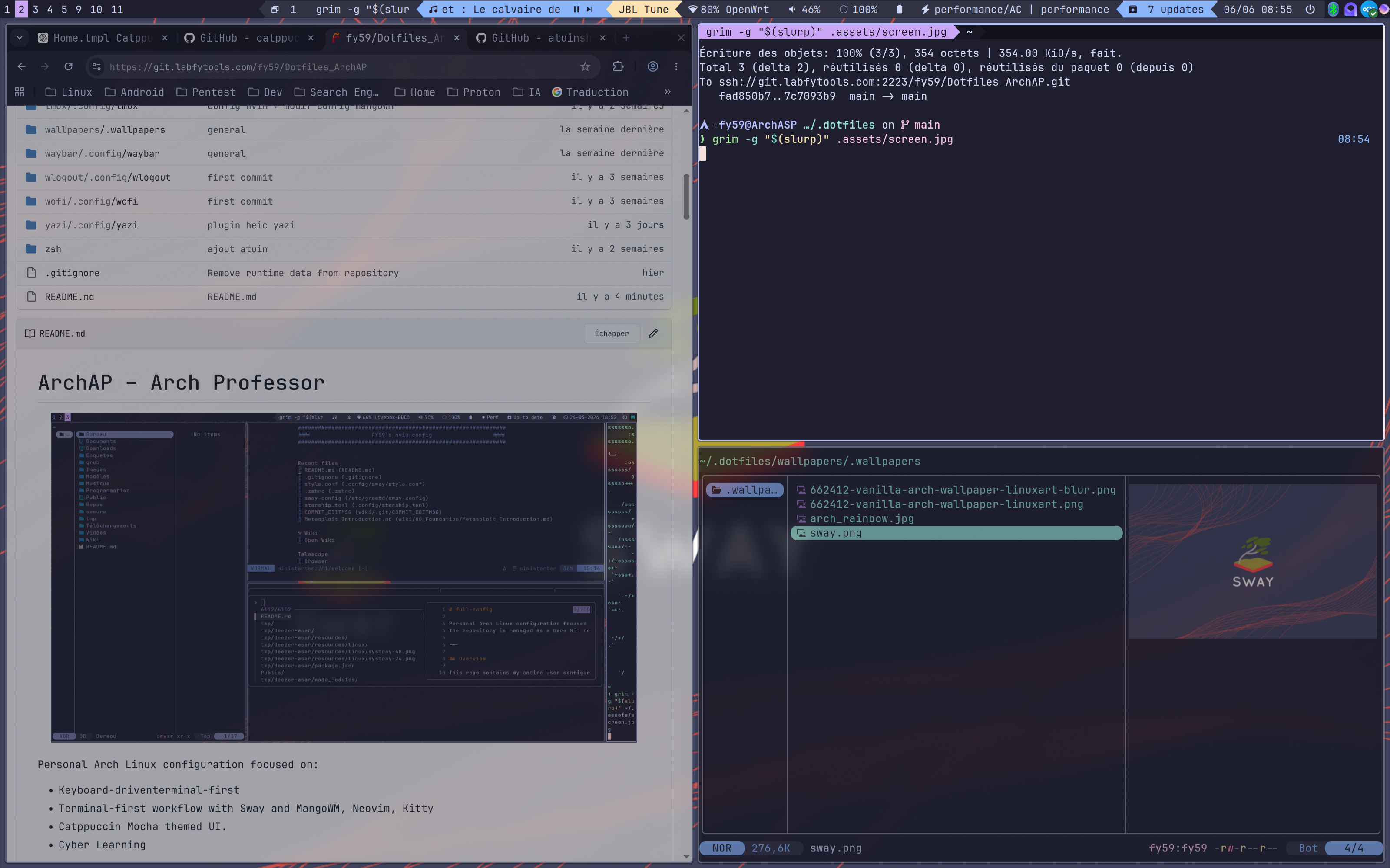
Personal Arch Linux configuration focused on:
- Keyboard-driventerminal-first
- Terminal-first workflow with Sway and MangoWM, Neovim, Kitty
- Catppuccin Mocha themed UI.
- Cyber Learning
Goal : all reproducible from a single install script and a GNU Stow‑managed dotfiles repo.
Installation Guide Greetd/Regreet config Snapper install & config
Status
ArchASP is currently in active development.
If you want to contribute, improve the codebase, suggest ideas, or help shape the installer workflow, feel free to contribute to that repository too.
Overview
This repo contains my entire user configuration, including:
- Zsh shell configuration with plugins, history tuning, fuzzy-finding and Python helpers
- A Catppuccin Mocha desktop theme applied consistently across GTK 3/4, Qt
- Sway configuration split into modular files with custom keybinds, bar, rules and styling
- Neovim configuration using Lua, Lazy, Treesitter, LSP and a full plugin setup
- Kitty terminal configuration with a large theme collection and a current theme
- Extra configs for GTK, Qt, TUI tools (yazi, fastfetch, calcure, bat, eza, cliphist, i3status-rust)
- Systemd user services for background daemons (idle/lock, clipboard, theming, sync, etc.)
The goal is to provide an opinionated but reusable starting point for an Arch/Linux tiling window manager environment.
Required packages
This setup assumes the following tools are installed (Arch package names):
- swayfx (Wayland tiling window manager)
- swaylock-effects
- swayidle
- wofi (Wayland application launcher)
- i3status-rust (status bar blocks)
- kitty (terminal emulator)
- neovim (text editor)
- zsh (shell)
- starship (prompt)
- fzf (fuzzy finder)
- fd (fast file search, used by fzf)
- ripgrep (rg, fast grep)
- eza (ls replacement)
- fastfetch (system info on shell startup)
- yazi (terminal file manager)
- bat (cat replacement with syntax highlighting)
- cliphist (Wayland clipboard manager)
- calcure (terminal calendar and tasks)
- zoxide (smart cd)
- pyenv (Python version manager)
- git (version control)
- yay (AUR helper)
- gtk3
- gtk4
- catppuccin-gtk-theme-mocha
- catppuccin-cursors-mocha
- greetd
- tuigreet
- systemd (init system, login manager and user services used for greetd, idle/lock, snapper, timers, etc.)
- wlogout (Power tool for waybar)
- waybar (Status bar with MangoWM)
- mangown (Windows compositor)
Zsh configuration
The Zsh configuration (.zshrc) is kept intentionally minimal and fast, while providing a modern shell experience.
Main features:
- Clean history settings (shared, deduplicated, trimmed) with a large history size
- Completion system using
compinit, cached in~/.cache/zsh, with case-insensitive matching and colored completions - Fastfetch banner on interactive shell startup if available
- Plugin setup without a plugin manager:
zsh-autosuggestionsfast-syntax-highlightingfzf-tab
- Prompt powered by
starshipwith config in~/.config/starship.toml - Incremental history search via
zsh-history-substring-search(up/down arrows) - Tight integration with
fzfandzoxide:- Custom
FZF_DEFAULT_COMMANDand previews usingbat - Key bindings and completion from the system
fzfscripts
- Custom
- Convenient aliases:
- Navigation (
..,...,....) - Tools (
bfor yazi,nfor neovim) - Git shortcuts (
g,gs,ga,gc,gp,gl) ezareplacinglswith different presetsrgas default grep-like search
- Navigation (
- OSINT helpers:
whois-ip,geoip,myip,headers,dns,subdomains,shot,topcmd
- Arch Linux workflow:
pacmanandyayaliases for install, upgrade, cleanup, orphan handlingjournalctlaliases (jlog,jfollow,jboot)
- Utility functions:
extractfor unpacking many archive formatsmkcdto create and enter a directorypsgrepto search running processes
- Python / pyenv helpers:
- pyenv initialization
vato activatevenv/or.venv/- aliases for creating, destroying and managing virtualenvs and
requirements.txt
Themes: .themes/Catppuccin-Mocha
This directory contains the Catppuccin Mocha theme adapted for several environments:
cinnamon/
Cinnamon desktop theme, including CSS and assets like checkboxes, toggles and window control icons.gnome-shell/
GNOME Shell theme with CSS files and SVG assets for shell elements (calendar, toggles, process animation).gtk-2.0/,gtk-3.0/,gtk-4.0/
GTK themes for legacy and modern GTK applications, including:gtkrcandgtkrc.hidpifor GTK2gtk.cssandgtk-dark.cssplus a large set of SVG assets for GTK3/4 widgets (checkboxes, radio buttons, sliders, etc.).
metacity-1/
Window manager theme for Metacity-based environments.plank/
Theme for the Plank dock (dock.theme).xfwm4/
Theme configuration for XFWM4 window manager.index.theme
The theme index file used by the system to register Catppuccin Mocha.
This ensures a consistent Catppuccin Mocha look across desktops, apps and widgets.
Yazi: .config/yazi

Configuration for the Yazi terminal file manager:
yazi.toml
Main Yazi configuration.theme.toml
Custom Yazi theme to match the overall colors.keymap.toml
Custom key mappings for navigation and actions.package.toml
Package metadata for the configuration.
Wofi: .config/wofi
Configuration for Wofi, a Wayland application launcher and cliphist manager:
config
Main Wofi settings (mode, matching, behavior).style.css
CSS styling to match the Catppuccin-like look.wifi
Script or configuration used to manage Wi-Fi selection via Wofi.
Starship: .config/starship.toml

Prompt configuration for the Starship prompt, referenced from .zshrc.
It defines the segments, colors and layout of the prompt to integrate visually with the rest of the setup.
Sway: .config/sway
Sway configuration is split into multiple modular files for clarity:
config
Main Sway configuration file that typically includes the others.autostart.conf
Applications and services launched automatically when Sway starts.bar.conf
Status bar configuration, including integration withi3status-rust.bind.conf
Keybindings for window management, launching applications, workspaces, etc.input.conf
Input configuration (keyboard, touchpad, etc.).rules.conf
Window rules (floating windows, specific workspaces, etc.).style.conf,swayfx.conf,tty-style.conf
Visual tweaks, SwayFX configuration and TTY-like styling.catppuccin-mocha
Theme-related configuration for Sway using the Catppuccin Mocha palette.i3status.toml
Configuration file fori3status-rustused in the bar.assets/screen.jpg
Screenshot or background asset.scripts/
Helper scripts:copypastto integrate clipboard history with Wofi and imagesinactive-windows-transparency.pyfor window transparency effects
README.md
Local documentation for the Sway setup.
Qt: .config/qt5ct and .config/qt6ct
Qt theming configuration using qt5ct and qt6ct:
colors/catppuccin-mocha-lavender.conf
Qt colour scheme matching the Catppuccin Mocha palette.qss/
Extra styling via Qt Style Sheets.qt5ct.conf,qt6ct.conf
Main Qt configuration files for both Qt5 and Qt6, aligning fonts, colors and style.
Neovim: .config/nvim
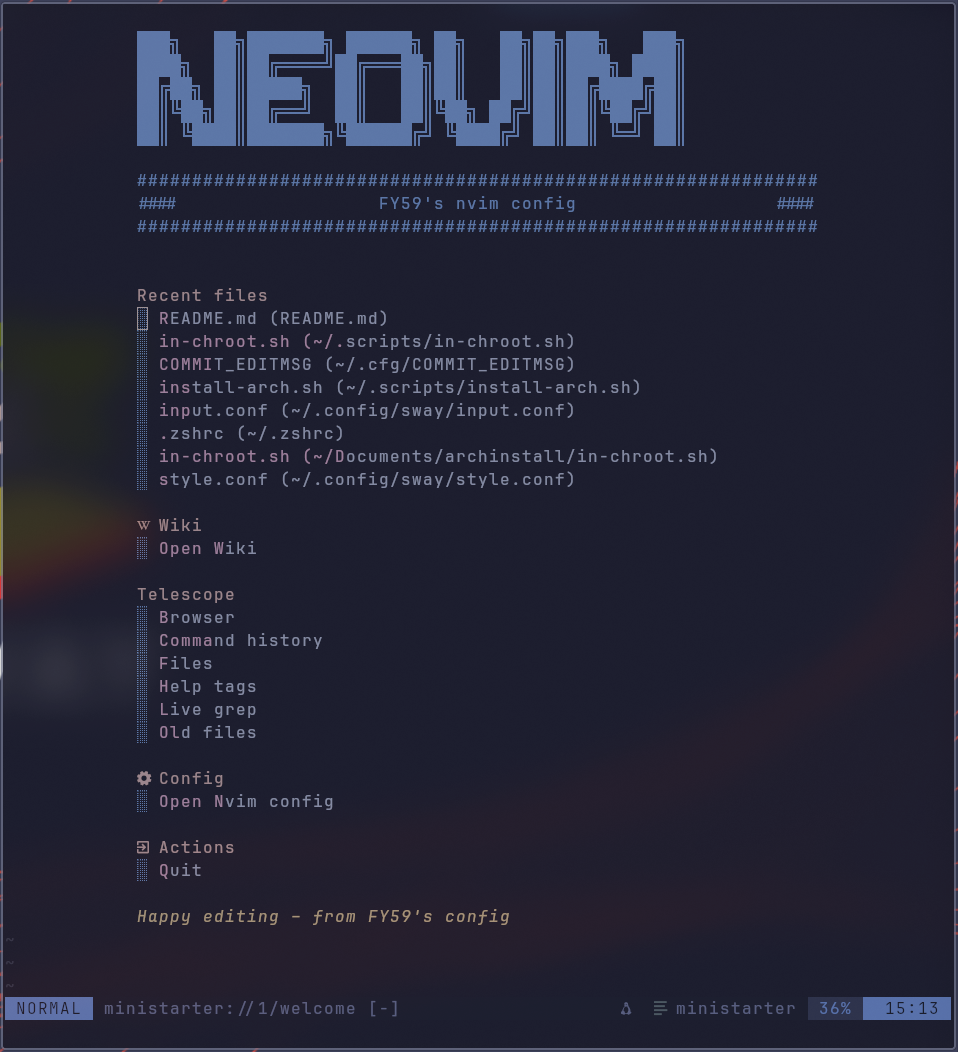
Neovim configuration built in Lua with a modern plugin stack:
init.lua
Entry point that sets up Neovim and loads modules.lua/config/
Core configuration:lazy.luafor the Lazy plugin managermaps.luafor key mappingsmarkdown.luafor markdown-related settings
lua/plugins/
Plugin configuration files, one per plugin or group:bufferline.luacatppuccin.luacmp.luacolorscheme.luafilebrowser.luagitsign.lualsp.luamini-icons.luamini_map.luaneowiki.luanvim-autopair.luaoutline.luarender-markdown.luastarter.luaneo-tree.luatelescope.luatreesitter.luaui.luavim-fugitive.luawitch-key.lua(which-key style helper)nvim-tree.lua.old(old configuration kept for reference)
lazy-lock.json
Lockfile for Lazy to pin exact plugin versions.assets/
Screenshots and images for documentation (nvim-starter.*,screen.jpg).LICENSE.md,readme.md
Local documentation and license for the Neovim configuration.
This setup gives a modern, IDE-like Neovim experience with LSP, Treesitter, file browsing, git integration, markdown rendering and more.
Kitty: .config/kitty
Kitty terminal configuration and themes:
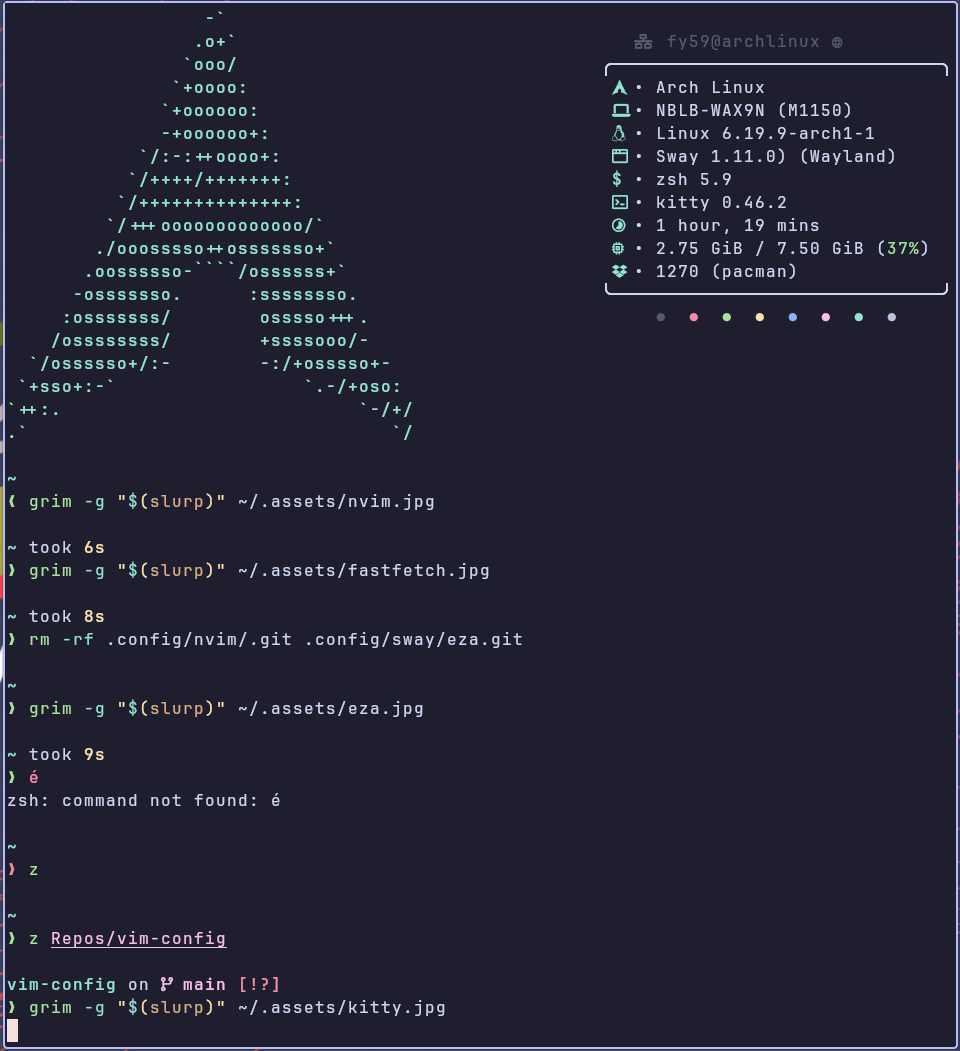
kitty.conf
Main Kitty configuration (fonts, window behavior, keybindings, etc.).current-theme.conf
Includes or defines the currently active theme.kitty-themes/
A full copy of the kitty-themes collection:LICENSE.md,README.md,CONTRIBUTING.mdthemes/*.conf
Hundreds of ready-to-use color schemes (Solarized, Dracula, Gruvbox, Monokai variants, Catppuccin-like themes, etc.).
This allows instant switching between many color schemes while defaulting to a Catppuccin-style dark theme.
Snapper
Snapper is used here to manage Btrfs snapshots for the root filesystem. Its main configuration for this setup lives in /etc/snapper/configs/root, where snapshot limits and cleanup rules are defined. Together with grub-btrfs, this configuration is integrated into GRUB so that the created snapshots appear as additional boot entries in the GRUB menu and can be selected directly at startup.
wiki
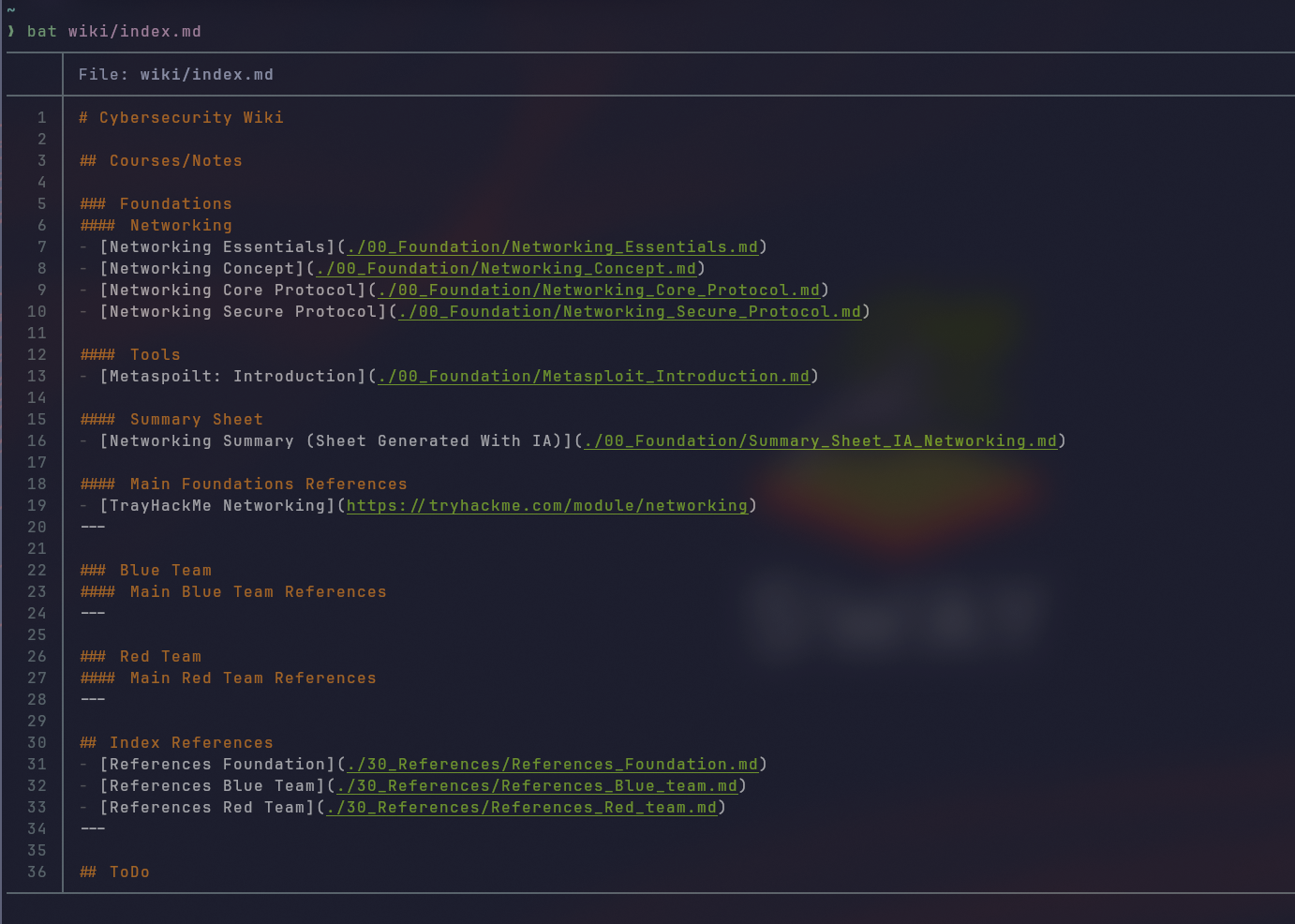
This wiki is my personal cybersecurity knowledge base. It centralizes course notes, lab write‑ups and reference material for networking, blue team and red team topics, so I can grow a coherent skill set over time instead of scattered notes. The structure is intentionally simple: foundations first, then focused sections for tools and defensive/offensive techniques, plus dedicated reference indexes to quickly jump back to key resources when needed.
All my notes live in a Neovim‑driven wiki. From a terminal session, I just launch:
nvim
and use
<leader>ww
to open my main index page, then navigate through Markdown links like a lightweight personal documentation site.
Other configs
Additional directories complete the environment:
.config/i3status-rust/
Used by the Sway bar viai3status.toml(config content is referenced from Sway’s side).

.config/gtk-3.0/and.config/gtk-4.0/
GTK settings and overrides for applications using GTK3/GTK4 (bookmarks, settings backups, etc.)..config/fastfetch/config.jsonc
Fastfetch configuration controlling system summary display in the terminal.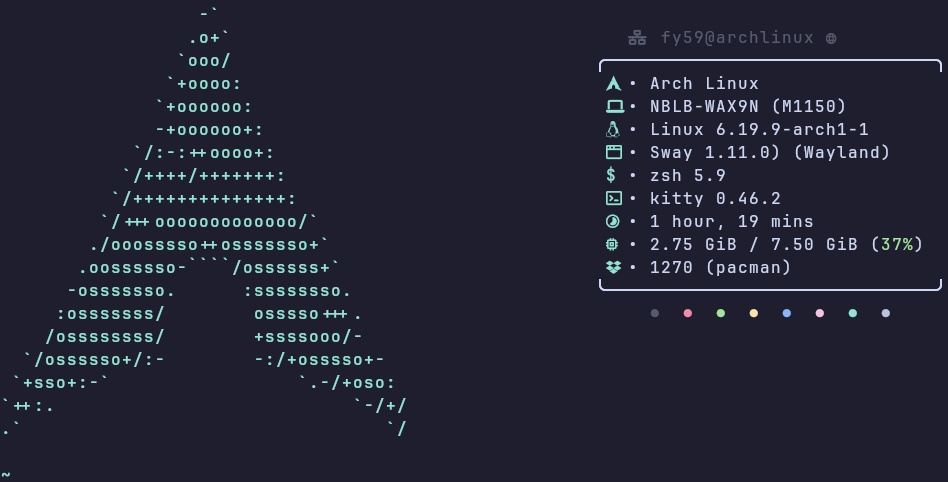
.config/eza/catppuccin-mocha-lavender.yml
eza color theme file tuned to match Catppuccin Mocha.
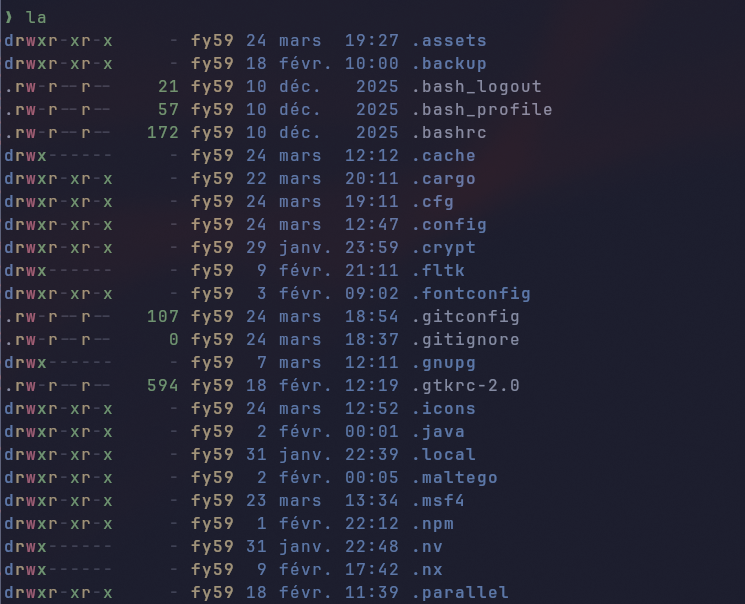
.config/cliphist/config
Configuration for cliphist clipboard manager..config/calcure/
Calcure TUI calendar and task manager configuration:config.inievents.csvtasks.csvinfo.log
.config/bat/themes/Catppuccin Mocha.tmTheme
Bat syntax highlighting theme, again using Catppuccin Mocha.
Installation (on existing system)
YAY install
sudo pacman -S stow git base-devel
cd /tmp
git clone https://aur.archlinux.org/yay.git
cd yay
makepkg -si
Git clone & themes install
yay -S catppuccin-cursors-mocha catppuccin-gtk-theme-mocha && git clone https://github.com/grayTerminal-sh/archasp.git
Move dotfiles
mkdir ~/.dotfiles &&\
mv ~/archasp/* ~/.dotfiles &&\
rm -r ~/archasp
Config backup
cd &&\
mkdir ~/.config/config_backup &&\
mv ~/.config/atuin ~/.config/config_backup &&\
mv ~/.config/bat ~/.config/config_backup &&\
mv ~/.config/btop ~/.config/config_backup &&\
mv ~/.config/calcure ~/.config/config_backup &&\
mv ~/.config/cliphist ~/.config/config_backup &&\
mv ~/.config/eza ~/.config/config_backup &&\
mv ~/.config/fastfetch ~/.config/config_backup &&\
mv ~/.config/gtk-3.0 ~/.config/config_backup &&\
mv ~/.config/gtk-4.O ~/.config/config_backup &&\
mv ~/.config/icons ~/.config/config_backup &&\
mv ~/.config/kitty ~/.config/config_backup &&\
mv ~/.config/mango ~/.config/mango_backup &&\
mv ~/.config/nvim ~/.config/config_backup &&\
mv ~/.config/qt5ct ~/.config/config_backup &&\
mv ~/.config/qt6ct ~/.config/config_backup &&\
mv ~/.config/starship ~/.config/config_backup &&\
mv ~/.config/sway ~/.config/config_backup &&\
mv ~/.config/swaylock ~/.config/config_backup &&\
mv ~/.config/swaync ~/.config/config_backup &&\
mv ~/.config/themes ~/.config/config_backup &&\
mv ~/.config/wofi ~/.config/config_backup &&\
mv ~/.config/yazi ~/.config/config_backup &&\
mv ~/.config/zsh ~/.config/config_backup
Stow dotfiles & install packages
cd ~/.dotfiles
stow *\
yay -S \
  mangowm-git swayfx wofi i3status-rust kitty neovim zsh \
  starship fzf fd ripgrep eza fastfetch yazi bat \
  cliphist calcure zoxide pyenv git \
  gtk3 gtk4 catppuccin-gtk-theme-mocha \
  catppuccin-cursors-mocha swaylock-effects \
  swayidle greetd greetd-tuigreet grim slurp \
  snapper brtfs-progs grub-snapper uwsm
greetd-tuigreet config
# /etc/greetd/config.toml

[terminal]
# The VT to run the greeter on. Can be "next", "current" or a number
# designating the VT.
vt = 1

# The default session, also known as the greeter.
[default_session]
command = "tuigreet tuigreet --time --greeting 'Welcome to ArchASP' --theme 'container=brightblack;border=magenta;text=white;greet=brightmagenta;prompt=cyan;input=brightcyan;time=brightyellow;error=red;button=green;action=green' --cmd 'uwsm start default' --power-shutdown 'shutdown -h now' --power-reboot 'reboot'"

# The user to run the command as. The privileges this user must have depends
# on the greeter. A graphical greeter may for example require the user to be
# in the `video` group.
user = "greetd"
# /usr/share/wayland-sessions/mango.desktop

[Desktop Entry]
Encoding=UTF-8
Name=Mango
DesktopNames=mango;wlroots
Comment=mango WM
Exec=mango
Icon=mango
Type=Application
#!/bin/sh

# .local/bin/mango-session.sh

systemctl --user start wayland-session.target
exec mango
sudo systemctl enable --now greetd.service
Snapper config
sudo snapper -c root create-config /\
sudo snapper -c root create-config /@
sudo systemctl enable --now grub-btrfsd.service grub-btrfs.path
sudo grub-mkconfig -o /boot/grub/grub.cfg
# /etc/snapper/configs/root
# subvolume to snapshot
SUBVOLUME="/"

# filesystem type
FSTYPE="btrfs"


# btrfs qgroup for space aware cleanup algorithms
QGROUP=""


# fraction or absolute size of the filesystems space the snapshots may use
SPACE_LIMIT="0.5"

# fraction or absolute size of the filesystems space that should be free
FREE_LIMIT="0.2"


# users and groups allowed to work with config
ALLOW_USERS=""
ALLOW_GROUPS=""

# sync users and groups from ALLOW_USERS and ALLOW_GROUPS to .snapshots
# directory
SYNC_ACL="no"


# start comparing pre- and post-snapshot in background after creating
# post-snapshot
BACKGROUND_COMPARISON="yes"


# run daily number cleanup
NUMBER_CLEANUP="yes"

# limit for number cleanup
NUMBER_MIN_AGE="3600"
NUMBER_LIMIT="5"
NUMBER_LIMIT_IMPORTANT="1"


# create hourly snapshots
TIMELINE_CREATE="yes"

# cleanup hourly snapshots after some time
TIMELINE_CLEANUP="yes"

# limits for timeline cleanup
TIMELINE_MIN_AGE="3600"
TIMELINE_LIMIT_HOURLY="0"
TIMELINE_LIMIT_DAILY="3"
TIMELINE_LIMIT_WEEKLY="0"
TIMELINE_LIMIT_MONTHLY="0"
TIMELINE_LIMIT_QUARTERLY="0"
TIMELINE_LIMIT_YEARLY="0"


# cleanup empty pre-post-pairs
EMPTY_PRE_POST_CLEANUP="yes"

# limits for empty pre-post-pair cleanup
EMPTY_PRE_POST_MIN_AGE="3600"